
Why MACD Settings Matter More Than Most Traders Realize
The Moving Average Convergence Divergence (MACD) indicator is one of the most widely used tools in technical analysis — yet the vast majority of traders simply accept its default parameters without ever questioning whether those settings actually suit their strategy. Choosing the best MACD settings for your specific trading style, timeframe, and market can be the difference between consistently profitable signals and a dashboard full of noise.
In this guide, we break down exactly how MACD parameters work, which settings perform best across different trading styles, and how to combine MACD with other indicators — including RSI — to build a genuinely robust trading system in 2026.
Understanding MACD Parameters: What Each Setting Controls
Before diving into which values work best, you need to understand what you're actually adjusting. The MACD indicator is built on three core parameters:
- Fast EMA Period: The shorter exponential moving average (default: 12 periods). Reacts quickly to recent price changes.
- Slow EMA Period: The longer exponential moving average (default: 26 periods). Provides the baseline trend context.
- Signal Line Period: An EMA of the MACD line itself (default: 9 periods). Used to generate crossover buy/sell signals.
The MACD Line is calculated as: Fast EMA − Slow EMA. The Histogram represents the difference between the MACD Line and the Signal Line. When you understand what each parameter controls, optimizing your settings becomes far more intuitive — and far more powerful.
How Changing MACD Parameters Affects Sensitivity
Reducing your fast or slow EMA periods makes the MACD more sensitive to short-term price movements, generating more signals but also more false positives. Increasing those periods smooths the indicator, producing fewer — but generally more reliable — signals. The signal line period works similarly: a shorter signal line generates earlier crossovers, while a longer signal line filters out minor fluctuations.
Key Insight: There is no universally "perfect" MACD setting. The best MACD parameters are always relative to your timeframe, the asset you're trading, and the market environment you're operating in.
The Default MACD Settings (12, 26, 9): Are They Still Valid in 2026?
The standard MACD settings of 12, 26, 9 were originally designed by Gerald Appel for daily stock charts in the 1970s — a very different market environment than what traders navigate today. The question every serious trader should ask: are these defaults still fit for purpose?
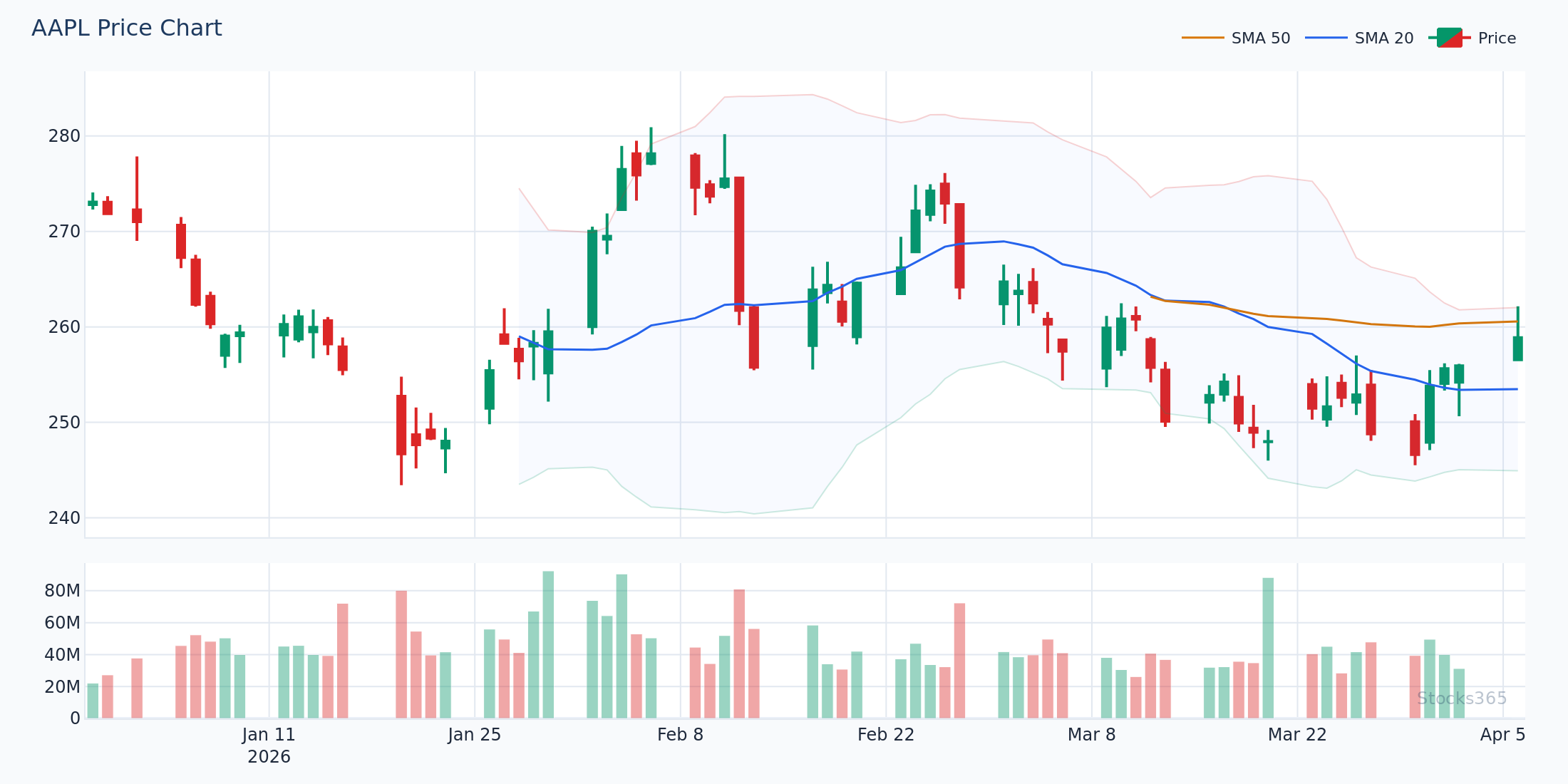
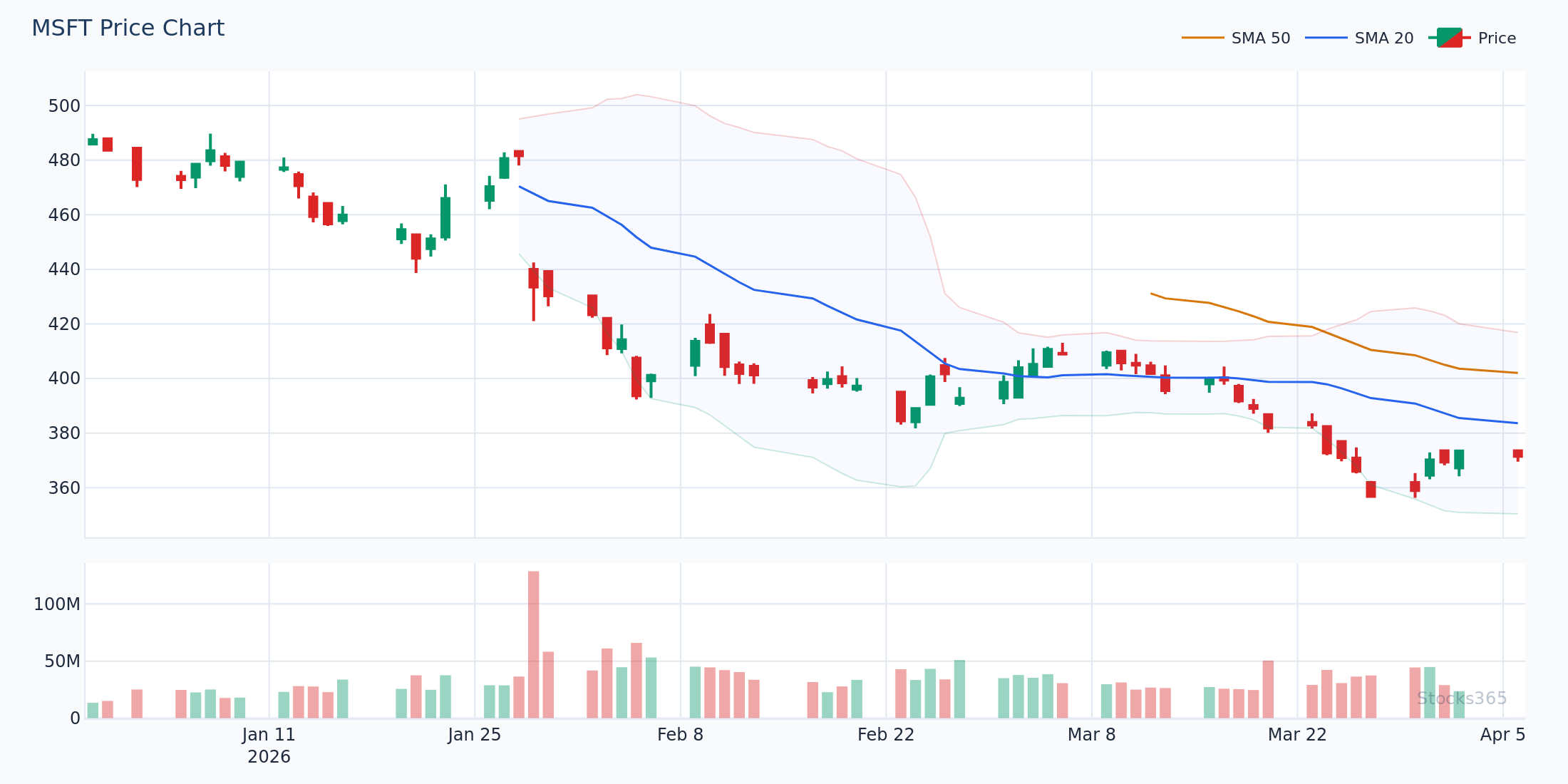
The honest answer is: sometimes. For daily chart swing trading on major equities like AAPL, MSFT, or NVDA, the default settings remain remarkably effective. Markets move faster in 2026 thanks to algorithmic trading and 24-hour information cycles, but the underlying mathematics of trend momentum haven't fundamentally changed.
Where the defaults fall short is in highly volatile assets, short timeframes (under 15 minutes), and crypto or leveraged ETF markets. In these environments, the lag built into the 12/26/9 configuration can result in entries that are already well past the optimal point.
Best MACD Settings for Day Trading
Day traders operate on compressed timeframes — typically 1-minute, 5-minute, or 15-minute charts. The default MACD settings introduce too much lag at these scales. By the time a crossover registers on a 5-minute chart with 12/26/9 parameters, the move is often halfway done.
Recommended Day Trading MACD Settings: (3, 10, 16)
One of the most effective alternatives for intraday traders is the 3, 10, 16 configuration. Here's what each parameter does in this context:
- Fast EMA (3): Extremely responsive to immediate price action, capturing momentum shifts within minutes.
- Slow EMA (10): Still short enough to reflect intraday trend, but provides meaningful contrast to the fast line.
- Signal Line (16): A longer signal line here acts as a counterbalance, filtering the noise created by the very fast EMAs.
For example, on a 5-minute NVDA chart in early 2026, the 3/10/16 MACD configuration generated a bullish crossover at $142.30 approximately 3 candles before the equivalent signal would appear with default settings — a meaningful advantage when the stock moved $8 in the subsequent hour.
Alternative Day Trading Setting: (5, 13, 8)
Some scalp traders prefer the 5, 13, 8 setting, which offers a middle ground between responsiveness and noise reduction. This is particularly effective on liquid large-cap stocks where price action is smoother. The Fibonacci-based periods (5, 13, 8) have a natural resonance with market structure that many traders find improves signal quality.
Best MACD Settings for Swing Trading
Swing traders typically work on daily or 4-hour charts, holding positions for several days to a few weeks. This is where the default 12, 26, 9 settings genuinely shine — but there are optimizations worth considering.
The Classic Swing Setting: (12, 26, 9)
On daily charts, the default settings provide an excellent balance of signal frequency and reliability. A MACD crossover on the daily AAPL chart confirmed by a rising histogram has historically preceded multi-day rallies, and the slow EMA (26) aligns closely with a one-month calendar — making it naturally attuned to monthly cycles in institutional positioning.
Optimized Swing Setting: (8, 17, 9)
For traders who want slightly faster entries without sacrificing the reliability of daily chart signals, the 8, 17, 9 configuration is worth testing. The compressed fast/slow EMA gap generates crossovers roughly 1-2 sessions earlier than the default, which can meaningfully improve your average entry price on swing trades. The signal line remains at 9 to maintain familiarity and comparability.
If you're using MACD alongside RSI for swing confirmation — which we strongly recommend — the RSI Settings guide on Stocks365 walks through how to align your RSI period with your MACD configuration for maximum confluence.
Best MACD Settings for Long-Term Investors
Position traders and long-term investors working on weekly or monthly charts need MACD settings that filter out the constant noise of daily price fluctuations and focus on genuine macro trend shifts.
Long-Term MACD Setting: (24, 52, 18)
Doubling the default parameters — 24, 52, 18 — effectively translates the daily settings into a weekly equivalent. On a weekly TSLA chart, this configuration generates far fewer signals, but those signals tend to reflect meaningful trend changes rather than short-term corrections. Crossovers on this setting are significant events worth serious attention.
Why Position Traders Should Care About Histogram Slope
For long-term positions, don't just watch for crossovers. The slope and momentum of the MACD histogram — whether it's expanding or contracting — often provides earlier warning of trend changes than the crossover itself. A shrinking positive histogram on a weekly AMZN chart, even while price still grinds higher, can be an early warning that the uptrend is losing steam.
MACD Settings by Asset Class: What Works Best Where
Different assets behave differently, and the best MACD settings vary accordingly:
- Blue-chip stocks (AAPL, MSFT, GOOGL): Default 12/26/9 on daily charts works well. These assets trend cleanly and respond predictably to MACD signals.
- High-volatility growth stocks (TSLA, NVDA): Consider 8/17/9 to capture faster moves. Default settings can lag significantly during sharp momentum runs.
- ETFs and Index Funds: Defaults work well. Broader instruments trend more smoothly, reducing false signals regardless of settings.
- Crypto (Bitcoin, Ethereum): Shorter settings (3/10/16 or 5/13/8) on 4-hour charts help capture the rapid trend shifts common in crypto markets.
- Forex: 12/26/9 on 4-hour or daily charts remains standard; some traders use 5/34/5 for specific currency pairs.
Combining MACD With RSI for Superior Signal Confirmation
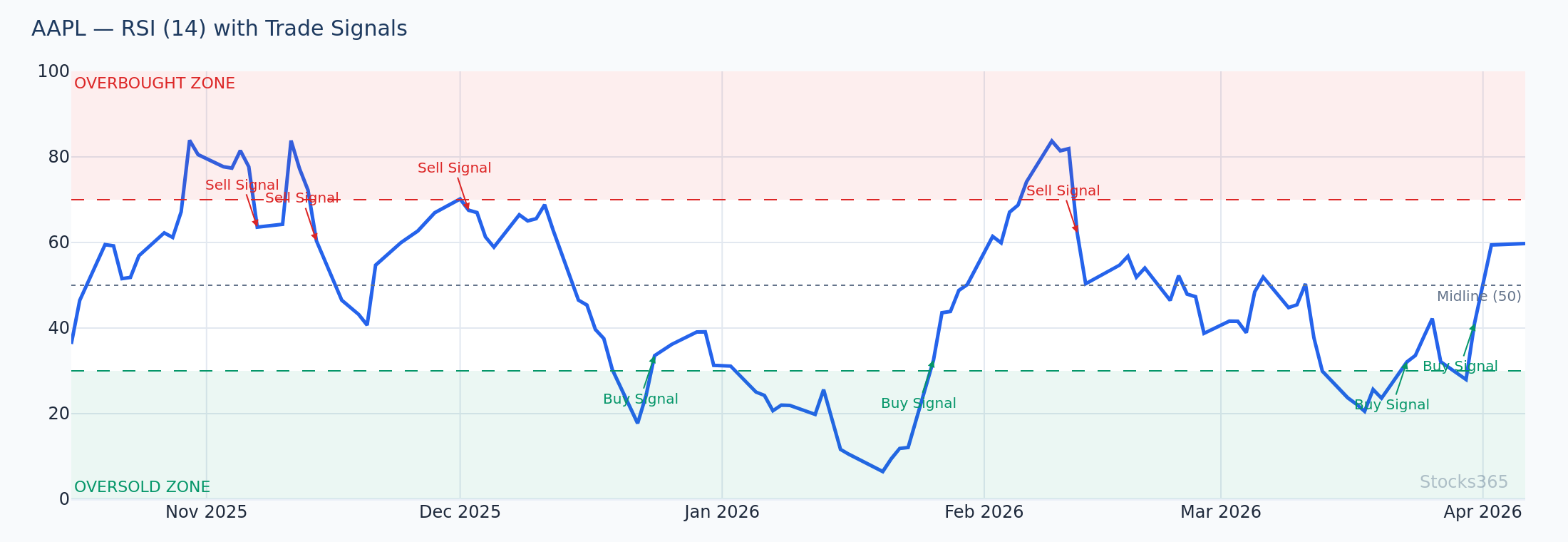
One of the most powerful trading combinations available is MACD paired with the Relative Strength Index. When both indicators align, the probability of a successful trade increases substantially compared to relying on either indicator alone.
Here's how the combination works in practice:
- Bullish confluence: MACD generates a bullish crossover (MACD line crosses above signal line) AND RSI is rising from oversold territory (below 30-40). This double confirmation filters out many false MACD signals.
- Bearish confluence: MACD generates a bearish crossover AND RSI is falling from overbought territory (above 60-70). A strong exit signal.
- Divergence confirmation: If RSI shows bullish divergence while MACD histogram is contracting, a trend reversal may be imminent even before a formal crossover occurs.
For a deep dive into RSI divergence signals — which pair exceptionally well with MACD histogram analysis — see the Stocks365 guide on RSI Divergence: Master Bullish & Bearish Signals. And if you want to go further, Hidden RSI Divergence covers an advanced concept that most traders completely miss — and it becomes especially powerful when confirmed by MACD.
How Stocks365 Integrates MACD Into Its Signal Intelligence System
The Stocks365 signals dashboard doesn't just surface raw MACD crossovers. The platform's trust score system evaluates signal quality by weighing MACD data against a range of confirming indicators — including RSI, volume patterns, and price structure — before assigning confidence ratings to each signal.
When you view a stock signal like the AAPL signal page, the displayed MACD data is contextualized within the broader technical picture. A MACD bullish crossover on AAPL combined with RSI rising from 38 and increasing volume might generate a trust score of 85 or higher — whereas the same MACD crossover occurring against weak volume and overbought RSI might score in the 50s, signaling caution.
This layered approach is precisely why understanding MACD parameters matters: the best MACD settings feed better raw data into multi-indicator systems, improving the quality of every downstream analysis.
Common MACD Mistakes Traders Make With Settings
Even experienced traders fall into traps when working with MACD parameters. Here are the most common errors to avoid:
- Over-optimizing for historical data: Running backtests to find the "perfect" MACD setting for a specific stock in a specific past period creates curve-fitted parameters that fail in live trading. Always validate on out-of-sample data.
- Using the same settings across all timeframes: The 12/26/9 default on a 1-minute chart is essentially useless — the lag is catastrophic. Always match your settings to your timeframe.
- Ignoring the histogram: Many traders focus exclusively on crossovers and ignore the histogram, missing valuable information about momentum acceleration and deceleration.
- Trading MACD in ranging markets: MACD is a trend-following indicator. In sideways, choppy markets, it generates frequent whipsaws regardless of your settings. Use a tool like Bollinger Bands to identify whether you're in a trending or ranging environment before applying MACD signals.
- Not combining with volume: A MACD crossover on declining volume is significantly less reliable than one accompanied by a surge in trading activity. Always check volume.
If you're also evaluating momentum indicators beyond MACD, the Stocks365 comparison guide on RSI vs. Stochastic Oscillator offers useful perspective on how different tools capture different aspects of momentum — all relevant to building a complete system around your MACD signals.
Practical Example: Applying Optimized MACD Settings to NVDA in 2026
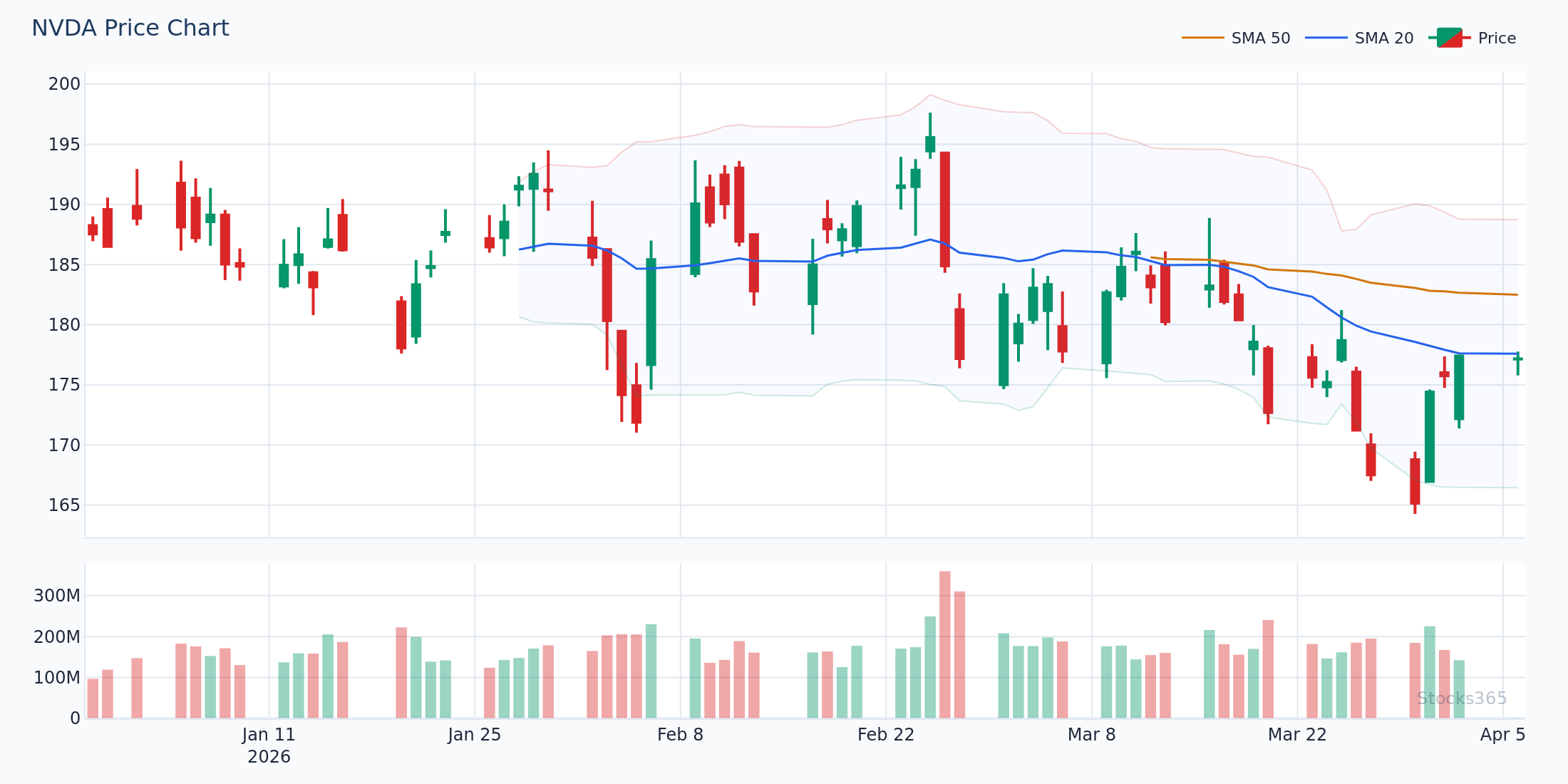
Let's walk through a concrete example. In Q1 2026, NVDA entered a consolidation phase after a strong rally, and traders monitoring the stock were looking for a re-entry signal. Here's how different MACD settings would have behaved:
- Default (12/26/9) on daily chart: A bullish crossover appeared with NVDA at approximately $163.50 — a solid signal, though the stock had already moved $6 off the exact low.
- Optimized (8/17/9) on daily chart: The same bullish crossover appeared roughly 2 sessions earlier at approximately $157.80 — capturing significantly more of the move.
- Paired with RSI at 42 (rising from oversold): The dual confirmation elevated the signal's reliability. Stocks365's trust score for this setup would likely reach 80+.
This isn't about being perfect — it's about systematically improving the quality and timing of your entries through informed parameter selection.
Key Takeaways
📊 MACD Settings Summary — What You Need to Remember:
- The default MACD settings (12, 26, 9) work well for daily chart swing trading on major equities — but are not optimal for all situations.
- Day traders should consider faster settings like (3, 10, 16) or (5, 13, 8) to reduce lag on short timeframes.
- Swing traders can improve entry timing with (8, 17, 9) without sacrificing signal reliability.
- Long-term investors should double the default parameters to (24, 52, 18) for weekly chart analysis.
- High-volatility assets (TSLA, NVDA, crypto) benefit from faster MACD settings than blue-chip stocks.
- MACD is most powerful when combined with RSI — use confluence to filter false signals.
- Never trade MACD crossovers in ranging markets — confirm the trend environment first.
- Stocks365's trust score system evaluates MACD signals within a multi-indicator framework, giving you context beyond raw crossovers.
Frequently Asked Questions
What are the best MACD settings for day trading?
For day trading on 5-minute or 15-minute charts, the (3, 10, 16) or (5, 13, 8) MACD settings generally outperform the defaults by reducing lag. The faster EMA periods capture intraday momentum shifts earlier, while the adjusted signal line helps filter excessive noise. Always test any settings on your specific asset and timeframe before deploying with real capital.
Should I change MACD settings from the default (12, 26, 9)?
It depends on your trading style. The default settings remain highly effective for daily chart swing trading on major stocks. However, if you're day trading, working with volatile assets, or operating on weekly charts, adjusting the parameters to better suit your timeframe and asset volatility will typically improve your results. The key is matching the MACD's sensitivity to the pace of the market you're trading.
Can I use the same MACD settings for stocks and crypto?
Generally, no. Cryptocurrency markets move significantly faster and with greater volatility than traditional equities. Faster MACD settings — such as (3, 10, 16) on 4-hour crypto charts — tend to perform better than the defaults, which can lag badly during rapid crypto price swings. Blue-chip stocks like AAPL or MSFT are more amenable to default settings due to their smoother, more gradual trends.
How does MACD work best with RSI?
MACD and RSI complement each other because they measure different things: MACD tracks trend direction and momentum through moving averages, while RSI measures the speed and magnitude of price changes on a bounded scale. The most powerful combinations occur when a MACD crossover aligns with RSI moving out of oversold or overbought territory. For deeper insight into using RSI effectively alongside momentum indicators, see the Stocks365 guide on How to Use RSI in Trading.
What is the MACD histogram and why does it matter?
The MACD histogram represents the difference between the MACD line and the signal line. When the histogram is positive and growing, momentum is accelerating to the upside. When it's positive but shrinking, the uptrend may be losing steam. Traders who watch only for crossovers miss this valuable momentum data entirely. Paying attention to histogram slope and magnitude — especially divergences between the histogram and price — can provide earlier and more nuanced signals than crossovers alone.